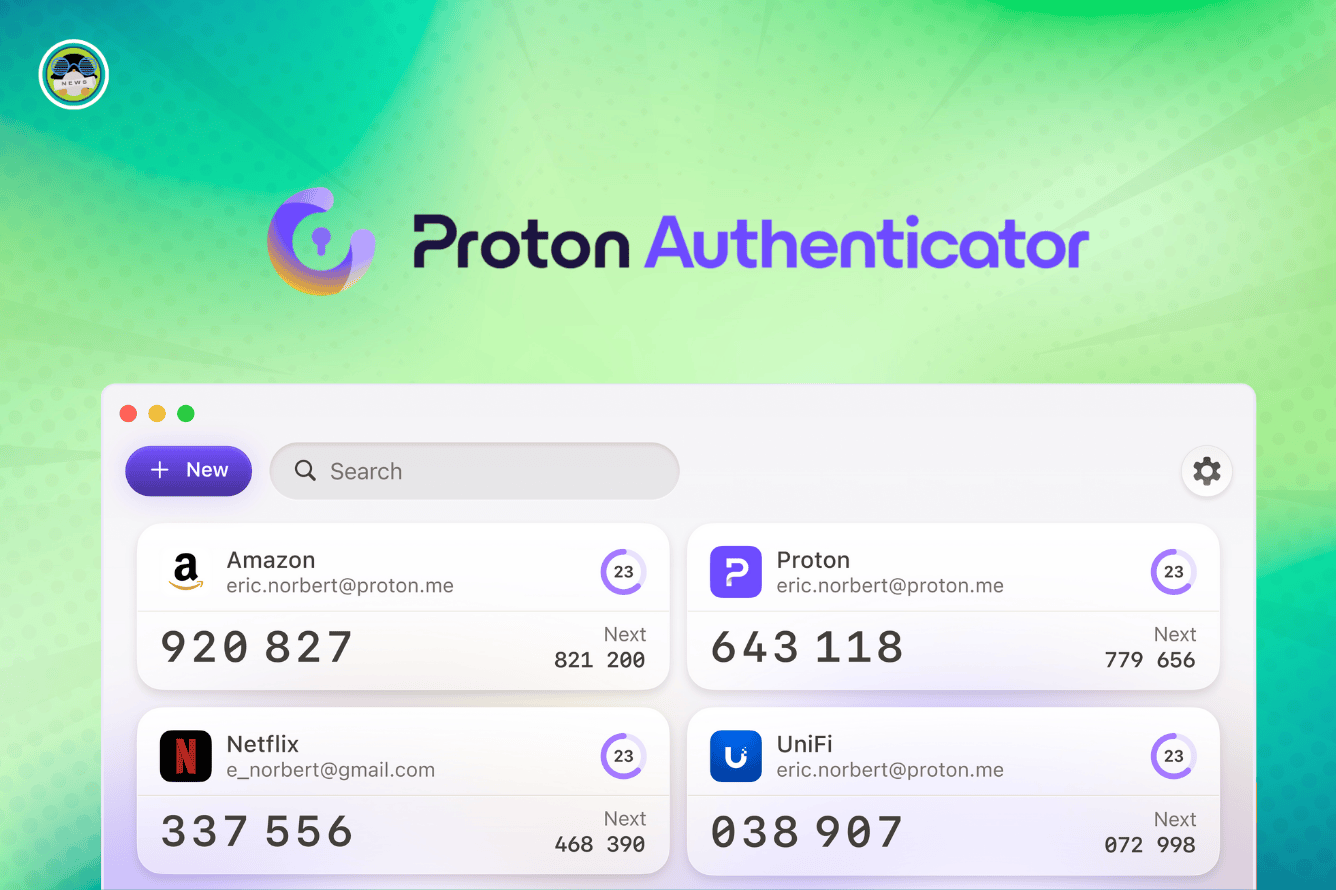
Say Goodbye to Microsoft Authenticator! Proton Just Introduced a Solid Alternative
In an increasingly digital world, safeguarding your online accounts is paramount. Two-factor authentication (2FA) has emerged as a vital layer of security, adding an extra step to the login process and significantly reducing the risk of unauthorized access. While Microsoft Authenticator has been a popular choice for many, Proton, renowned for its commitment to privacy and security, has recently launched its own 2FA app, offering a compelling alternative that may just be the superior option for security-conscious users. At Tech Today, we’re taking a deep dive into Proton’s 2FA solution and exploring why it could be time to ditch Microsoft Authenticator.
Why You Need Two-Factor Authentication (2FA)
Before we delve into the specifics of Proton’s 2FA app, let’s reiterate why 2FA is essential for protecting your online accounts. Passwords alone are no longer sufficient security. They can be cracked, guessed, or stolen through phishing attacks or data breaches. 2FA adds an extra layer of protection by requiring a second verification factor, typically a code generated by an app on your smartphone or sent via SMS. This means that even if someone obtains your password, they still won’t be able to access your account without the second factor. This significantly reduces the risk of account compromise, safeguarding your sensitive data and preventing unauthorized access.
Proton’s 2FA App: A Privacy-Focused Alternative
Proton’s 2FA app is a welcome addition to the 2FA landscape, especially for those who prioritize privacy and security. Built on the same principles as ProtonMail and ProtonVPN, the app focuses on protecting user data and ensuring a secure authentication process. Here’s a closer look at what makes Proton’s 2FA app stand out:
End-to-End Encryption
Like Proton’s other services, the 2FA app employs end-to-end encryption. This means that your 2FA secrets are encrypted on your device and can only be decrypted by you. This protects your sensitive information from being intercepted or accessed by unauthorized parties. The peace of mind that comes with knowing your data is encrypted and secure is a major advantage of Proton’s offering.
Open-Source and Audited
Proton is committed to transparency and security. The 2FA app is open-source, meaning its code is publicly available for review. This allows security experts to examine the app’s inner workings and identify any potential vulnerabilities. Furthermore, Proton undergoes regular security audits by independent third-party firms, ensuring that the app meets the highest security standards.
Cross-Platform Availability
The Proton 2FA app is available on both iOS and Android, making it accessible to a wide range of users. This cross-platform compatibility ensures that you can use the app regardless of your preferred mobile operating system.
User-Friendly Interface
Despite its robust security features, Proton’s 2FA app is designed with ease of use in mind. The interface is clean and intuitive, making it simple to add and manage your 2FA accounts. Even users who are new to 2FA will find the app easy to navigate and use.
Account Recovery Options
Proton understands the importance of being able to recover your 2FA accounts if you lose access to your device. The app provides secure backup and recovery options, ensuring that you won’t be locked out of your accounts if something goes wrong. These recovery mechanisms are designed to be both secure and user-friendly.
How Proton’s 2FA App Stacks Up Against Microsoft Authenticator
While Microsoft Authenticator is a well-established 2FA app, Proton’s offering presents some compelling advantages. Here’s a comparison of the two apps:
Privacy Focus
This is where Proton truly shines. Microsoft, while a reputable company, operates within a different business model than Proton. Microsoft’s services often involve data collection and targeted advertising. Proton, on the other hand, is committed to user privacy and does not track or monetize user data. This fundamental difference in philosophy makes Proton a more attractive option for privacy-conscious users. Microsoft Authenticator is tied into the Microsoft ecosystem, which some users might find intrusive depending on their viewpoint on data sharing.
Security Audits
While Microsoft invests heavily in security, Proton’s open-source nature and regular third-party audits provide an extra layer of assurance. The transparency of Proton’s security practices allows for greater scrutiny and helps to identify and address any potential vulnerabilities.
User Interface and Experience
Both apps offer a user-friendly experience, but some users may prefer Proton’s cleaner and more intuitive interface. The visual design of the Proton 2FA app is straightforward and uncluttered, making it easy to manage your 2FA accounts.
Ecosystem Integration
Microsoft Authenticator is tightly integrated with Microsoft’s ecosystem, which can be advantageous for users who heavily rely on Microsoft services. However, this integration can also be a drawback for those who prefer to use a wider range of services from different providers. Proton’s 2FA app is designed to be independent and work with any service that supports standard 2FA protocols.
Open-Source vs. Closed-Source
Proton’s open-source nature promotes transparency and community review, fostering trust and confidence in the app’s security. Microsoft Authenticator is closed-source, meaning its code is not publicly available. This lack of transparency can be a concern for some users who prefer to know exactly how their data is being handled.
Setting Up Proton’s 2FA App: A Step-by-Step Guide
Getting started with Proton’s 2FA app is simple and straightforward. Here’s a step-by-step guide:
Download the App: Download the Proton 2FA app from the App Store (iOS) or Google Play Store (Android).
Install and Open: Install the app on your device and open it.
Add an Account: Tap the “+” button to add a new 2FA account.
Scan the QR Code or Enter the Key: Most services will provide a QR code that you can scan with the app. Alternatively, you can manually enter the secret key provided by the service.
Enter the Verification Code: Once you’ve added the account, the app will generate a six-digit verification code. Enter this code into the service you’re enabling 2FA for.
Enable 2FA on the Service: Follow the service’s instructions to enable 2FA using the code from the Proton 2FA app.
Backup Your 2FA Secrets: It’s crucial to back up your 2FA secrets in case you lose access to your device. Proton provides secure backup options within the app.
Best Practices for Using 2FA
To maximize the security benefits of 2FA, it’s important to follow these best practices:
Enable 2FA on All Important Accounts
Protect your most important accounts, such as email, banking, social media, and cloud storage, with 2FA. This will significantly reduce the risk of unauthorized access.
Use an Authenticator App Instead of SMS
While SMS-based 2FA is better than nothing, it’s less secure than using an authenticator app. SMS messages can be intercepted or spoofed, making them vulnerable to attack. Authenticator apps generate codes offline, eliminating this risk.
Back Up Your 2FA Secrets
Always back up your 2FA secrets in a secure location. This will allow you to recover your accounts if you lose access to your device. Proton’s 2FA app provides built-in backup and recovery options.
Store Backup Codes Safely
Many services provide backup codes that you can use to access your account if you lose your 2FA device. Store these codes in a safe and secure place, such as a password manager or encrypted file.
Be Wary of Phishing Attacks
Be cautious of phishing emails or websites that ask for your 2FA code. Always verify the legitimacy of a request before entering your code.
The Future of 2FA: Passkeys and Beyond
While authenticator apps like Proton’s 2FA app provide a significant boost to security, the future of 2FA may lie in even more advanced technologies, such as passkeys. Passkeys are a passwordless authentication method that uses cryptographic keys stored on your device to verify your identity. They are more secure than passwords and easier to use than traditional 2FA methods. As passkey technology matures, we can expect to see it become more widely adopted, further enhancing the security of our online accounts. Proton will undoubtedly be at the forefront of these advancements, continuing to provide innovative and privacy-focused security solutions.
Conclusion: A Secure and Privacy-Respecting Choice
Proton’s 2FA app is a solid alternative to Microsoft Authenticator, especially for users who prioritize privacy and security. With its end-to-end encryption, open-source nature, and user-friendly interface, Proton’s app offers a compelling combination of security and usability. While Microsoft Authenticator remains a viable option, Proton’s commitment to privacy makes it a particularly attractive choice for those seeking a more secure and trustworthy 2FA solution. At Tech Today, we highly recommend giving Proton’s 2FA app a try. It’s a simple and effective way to enhance your online security and protect your valuable data.